
Every blogger wants one thing — to appear on the first page of Google.
When your blog ranks higher, you get:
- More traffic
- More readers
- More income opportunities
- Better online visibility
But ranking a blog post is not only about writing content. Google now focuses on quality, user experience, SEO, and helpful information.
The good news is that even beginners can rank blog posts if they follow the right strategy.
In this easy beginner guide, you will learn step-by-step how to rank a blog post on Google in 2026.
Why Ranking on Google is Important
The largest search engine in the world is Google.
Millions of people search on Google daily for:
- Information
- Products
- Tutorials
- Reviews
- News
If your article appears at the top of search results, more people will visit your website naturally.
This free traffic is called organic traffic.
Step 1: Choose the Right Keyword
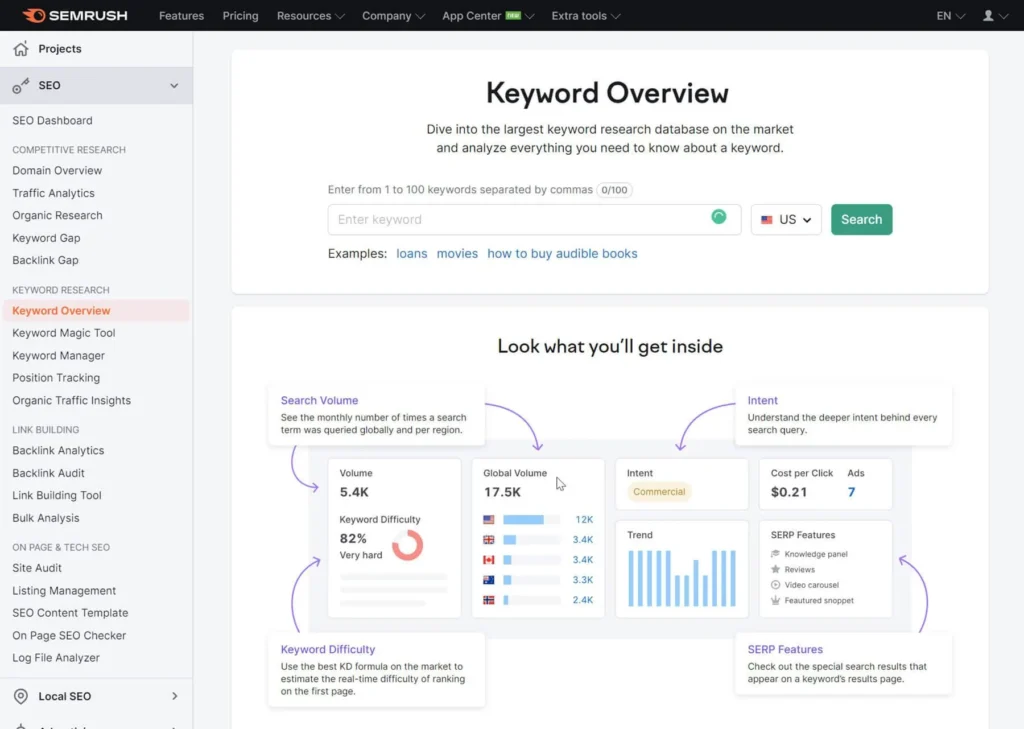
Before writing a blog post, you need to find a keyword people are searching for.
Keywords are the words users type into Google.
Example:
- “How to rank a blog post on Google”
- “Best SEO tips”
- “Digital marketing for beginners”
Good keywords help Google understand your article topic.
Best WordPress Plugins for SEO & Speed
How to Find Good Keywords
Beginners can use free keyword tools like:
- Google Trends
- Ubersuggest
- Google Keyword Planner
- AnswerThePublic
Choose keywords that:
- Match your topic
- Have search demand
- Are not too competitive
Long-tail keywords are easier to rank for.
Example:
Instead of:
“SEO”
Use:
“How to learn SEO for beginners”
Step 2: Understand Search Intent
Google wants to show users the most helpful results.
Ask yourself:
“What does the user really want?”
For example:
If someone searches:
“How to rank a blog post on Google”
They want:
- SEO tips
- Ranking strategies
- Step-by-step guidance
Your content should fully answer their questions.
Step 3: Write High-Quality Content

Content quality is the most important ranking factor.
Google prefers articles that:
- Are original
- Are useful
- Explain topics clearly
- Solve user problems
Avoid:
- Copied content
- Very short articles
- Keyword stuffing
Helpful content performs better in search results.
Step 4: Write an SEO-Friendly Title
Your title should:
- Include the main keyword
- Sound attractive
- Encourage clicks
Example:
“How to Rank a Blog Post on Google in 2026”
Good titles improve click-through rate (CTR).
Step 5: Use Proper Headings
Headings improve readability and structure.
Use:
- H1 for title
- H2 for main sections
- H3 for subtopics
Good headings help both users and search engines understand content better.
Step 6: Optimize Your URL
A clean URL looks professional and improves SEO.
Good example:
yourwebsite.com/rank-blog-post-google
Bad example:
yourwebsite.com/page?id=2847xyz
Keep URLs:
- Short
- Clear
- Keyword-focused
Step 7: Add Internal Links
Internal links connect your pages together.
Example:
If you wrote another article about SEO tools, link it inside your content.
Benefits:
- Helps Google crawl pages
- Keeps users on your website longer
- Improves website structure
Step 8: Optimize Images
Images improve user experience and engagement.
SEO image tips:
- Compress image size
- Use descriptive file names
- Add ALT text
Example ALT text:
“Blog SEO optimization example”
Fast-loading images improve website speed.
Step 9: Improve Website Speed
Slow websites often rank poorly.
Visitors leave websites that take too long to load.
Ways to improve speed:
- Compress images
- Use caching plugins
- Choose good hosting
- Remove unnecessary plugins
Fast websites create better user experience.
Step 10: Make Your Website Mobile-Friendly
Most users now browse websites on mobile phones.
Google uses mobile-first indexing, meaning mobile optimization is very important.
Your website should:
- Load properly on phones
- Have readable text
- Be easy to navigate
Mobile-friendly websites rank better.
Step 11: Write a Strong Meta Description
A meta description is the short text below your title on Google.
Good meta descriptions:
- Include keywords
- Explain content clearly
- Encourage clicks
Example:
“Learn how to rank a blog post on Google with simple SEO tips for beginners.”
Step 12: Add Valuable Information
Google rewards content that provides real value.
Add:
- Examples
- Step-by-step guidance
- Tips
- Practical solutions
The more useful your article is, the better its ranking potential.
Step 13: Get Backlinks
Backlinks are links from other websites pointing to your article.
Google sees quality backlinks as trust signals.
Ways to get backlinks:
- Write useful content
- Guest posting
- Share articles on social media
- Collaborate with bloggers
Quality backlinks improve authority.
Step 14: Update Old Blog Posts
Updating content helps improve rankings.
You can:
- Add new information
- Improve SEO
- Fix broken links
- Update images
Fresh content performs better in search results.
Step 15: Focus on User Experience
Google wants users to enjoy reading your content.
Improve:
- Readability
- Website design
- Navigation
- Loading speed
Happy visitors stay longer on websites.
Common Blogging SEO Mistakes
Many beginners:
- Copy content
- Ignore keywords
- Use too many plugins
- Publish thin articles
- Expect instant rankings
SEO takes patience and consistency.
Best SEO Tools for Bloggers
Useful SEO tools include:
| Tool | Purpose |
|---|---|
| Google Search Console | Monitor performance |
| Yoast SEO | On-page SEO |
| Rank Math | SEO optimization |
| Grammarly | Improve writing |
| Google Analytics | Traffic analysis |
These tools help improve blog performance.
How Long Does It Take to Rank on Google?
SEO results are not instant.
Depending on competition, rankings may take:
- Few weeks
- Few months
- Longer for difficult keywords
Consistency is very important.
SEO Trends in 2026
Modern SEO now focuses on:
- Helpful content
- AI search optimization
- Voice search
- Mobile experience
- User intent
Google now values quality more than ever before.
Final Thoughts
Ranking a blog post on Google is possible for anyone who understands basic SEO and creates helpful content.
You do not need to be an expert to start. Even beginners can rank articles by:
- Choosing the right keywords
- Writing useful content
- Optimizing on-page SEO
- Improving user experience
SEO is a long-term process, but with patience and regular practice, your blog can slowly grow and attract organic traffic from Google.
Start learning step by step, keep improving your content, and focus on helping your readers first.