
When most people hear the term “SEO,” they think about keywords, blog posts, and backlinks. While those things are important, there’s another side of SEO that often gets ignored: Technical SEO.
Don’t worry—the word “technical” sounds scarier than it actually is.
Think of your website like a house. Content is the furniture, keywords are the decorations, and technical SEO is the foundation. If the foundation is weak, even the best furniture won’t help.
Technical SEO helps search engines crawl, understand, and index your website properly. Without it, your content may never reach its full ranking potential.
In this guide, we’ll break down technical SEO in the simplest way possible.
How to Increase Website Traffic Organically: A Complete Beginner’s Guide for 2026
What Is Technical SEO?
Technical SEO refers to the process of optimizing your website’s technical elements so search engines can access, crawl, and understand your pages efficiently.
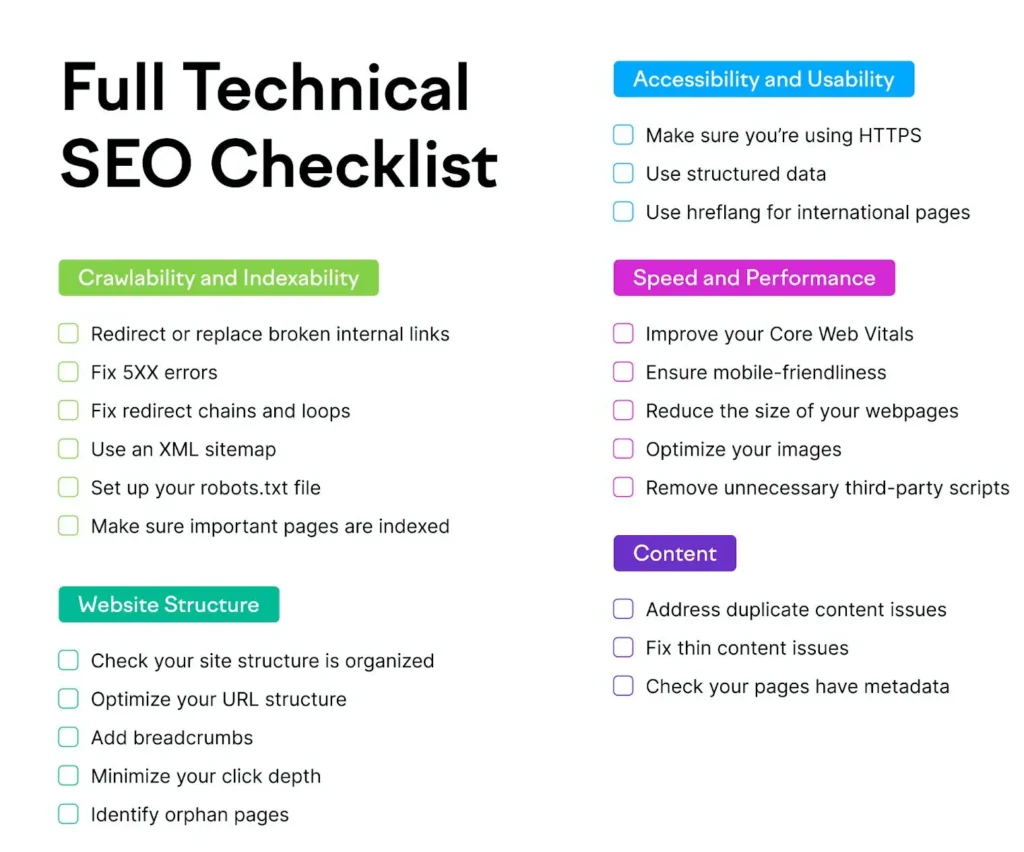
Unlike content SEO, technical SEO focuses on things happening behind the scenes.
Examples include:
- Website speed
- Mobile friendliness
- Site security
- XML sitemaps
- Crawlability
- Structured data
The goal is simple: make your website easy for both users and search engines.
Why Technical SEO Matters
Imagine writing an amazing blog post, but Google cannot properly access it.
That’s where technical SEO becomes important.
Good technical SEO helps:
- Improve rankings
- Increase organic traffic
- Enhance user experience
- Reduce crawling errors
- Improve website performance
A technically healthy website gives your content a better chance of ranking.
Technical SEO vs On-Page SEO
Many beginners confuse these two concepts.
| Technical SEO | On-Page SEO |
|---|---|
| Website speed | Keyword optimization |
| Mobile friendliness | Title tags |
| XML sitemaps | Meta descriptions |
| HTTPS security | Internal linking |
| Crawlability | Content quality |
Both are important, but they serve different purposes.
1. Website Speed Matters
Nobody likes a slow website.
If your site takes too long to load, visitors may leave before reading your content.
Google also considers page speed as a ranking factor.
How to Improve Website Speed
- Compress images
- Use caching plugins
- Choose quality hosting
- Remove unused plugins
- Minify CSS and JavaScript files
A faster website creates a better experience for visitors.
2. Mobile-Friendly Design
More than half of internet users browse on smartphones.

Google uses mobile-first indexing, which means it primarily evaluates the mobile version of your website.
Your website should:
- Adapt to different screen sizes
- Have readable text
- Load quickly on mobile devices
- Provide easy navigation
If your site works well on phones, you’re already ahead of many competitors.
3. Secure Your Website with HTTPS
Have you noticed the padlock icon beside some website URLs?
That security comes from HTTPS.
HTTPS encrypts data between the user and the website.
Benefits include:
- Better security
- Improved trust
- Potential ranking advantages
Most hosting providers offer free SSL certificates.
4. Create an XML Sitemap
An XML sitemap is like a roadmap for search engines.
It tells Google which pages exist on your website and where to find them.
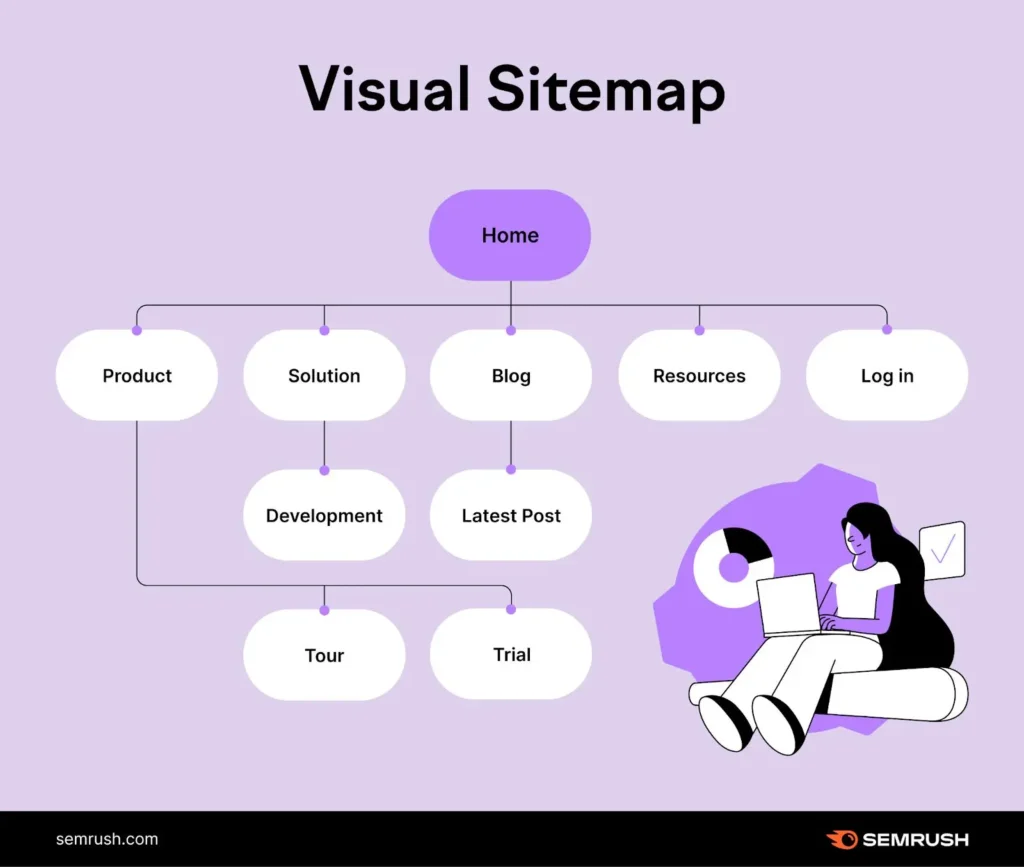
A sitemap helps:
- Faster indexing
- Better crawling
- Improved site discovery
Most SEO plugins can generate XML sitemaps automatically.
5. Use a Robots.txt File
The robots.txt file tells search engines which pages they should or should not crawl.
Think of it as instructions for search engine bots.
For example, you may want to block:
- Admin pages
- Login pages
- Duplicate content sections
A properly configured robots.txt file improves crawling efficiency.
6. Fix Broken Links
Broken links lead visitors to pages that no longer exist.
This creates a poor user experience.
Examples:
- Deleted pages
- Incorrect URLs
- Moved content
Regularly check your website for broken links and fix them promptly.
7. Improve Crawlability
Search engines use bots to crawl websites.
If bots cannot access your pages, they cannot rank them.
Good crawlability means:
- Clear navigation
- Internal linking
- Working URLs
- No unnecessary restrictions
Make it easy for Google to explore your website.
8. Optimize URL Structure
Clean URLs help both users and search engines.
Good URL Example
yourwebsite.com/technical-seo-guide
Bad URL Example
yourwebsite.com/page?id=2847xyz
Best practices:
- Keep URLs short
- Use descriptive words
- Include keywords naturally
Simple URLs are easier to understand.
9. Remove Duplicate Content
Duplicate content occurs when similar content appears on multiple pages.
This can confuse search engines.
Common causes include:
- Multiple URL versions
- Printer-friendly pages
- Content copied across pages
Use canonical tags when necessary to tell Google which version is the original.
10. Use Structured Data
Structured data helps search engines understand your content better.
It can improve how your pages appear in search results.
Examples include:
- FAQ snippets
- Star ratings
- Product information
- Event details
Structured data increases visibility and click-through rates.
11. Monitor Indexing Issues
Indexing means Google has added your page to its database.
If a page isn’t indexed, it won’t appear in search results.
Common indexing issues:
- Noindex tags
- Crawl errors
- Blocked pages
- Duplicate content
Regular monitoring helps catch problems early.
12. Improve Internal Linking
Internal links connect pages within your website.
Benefits include:
- Better navigation
- Improved crawlability
- More page authority distribution
- Increased user engagement
Every important page should have internal links pointing to it.
Essential Technical SEO Tools
Here are some beginner-friendly tools:
| Tool | Purpose |
| Google Search Console | Monitor indexing and errors |
| Google PageSpeed Insights | Analyze speed |
| Screaming Frog | Website audits |
| GTmetrix | Performance testing |
| Rank Math | WordPress SEO management |
These tools help identify technical problems before they affect rankings.
Common Technical SEO Mistakes
Avoid these common errors:
❌ Slow website speed
❌ Missing sitemap
❌ Broken links
❌ Poor mobile experience
❌ Duplicate content
❌ Not using HTTPS
❌ Ignoring crawl errors
Fixing these issues can significantly improve website performance.
Simple Technical SEO Checklist
Before publishing content, check:
✅ Website loads quickly
✅ Mobile-friendly design
✅ HTTPS enabled
✅ XML sitemap submitted
✅ No broken links
✅ Clean URL structure
✅ Internal links added
✅ Search engines can crawl pages
Final Thoughts
Technical SEO may sound complicated, but its purpose is actually very simple: help search engines access and understand your website.
You don’t need to be a developer to improve technical SEO. Start with the basics—speed, mobile optimization, security, and crawlability.
As your website grows, these small improvements can make a big difference in rankings, traffic, and user experience.
Remember, great content and strong technical SEO work together. When both are optimized, your website has the best chance of succeeding in search results.